
Grade Calculator
This grade calculator helps you calculate your course grade by entering your scores and the weight of each assignment, quiz, project, or exam. The calculator instantly estimates your current average, helping you understand where you stand and how future assessments may affect your final result.
Calculate Your Final Grades
Lets Calculate
| Assignment | Grade (%) | Letter | Points | Max Pts | Weight (%) |
|---|
Other Helpful Grade Calculator Tools
What Is a Grade Calculator?
A grade calculator is an online tool that estimates your overall course grade using the scores you've already earned. It combines your marks with the weight of each assessment to calculate your current average automatically.
Many courses use a weighted grading system, where assignments, quizzes, projects, and exams contribute different percentages to the final grade. Instead of calculating everything manually, you can enter the required values and receive your result within seconds.
Whether you're checking your progress halfway through the semester or estimating your final score before an exam, the calculator provides a quick and convenient way to stay informed.
How the Calculator Works
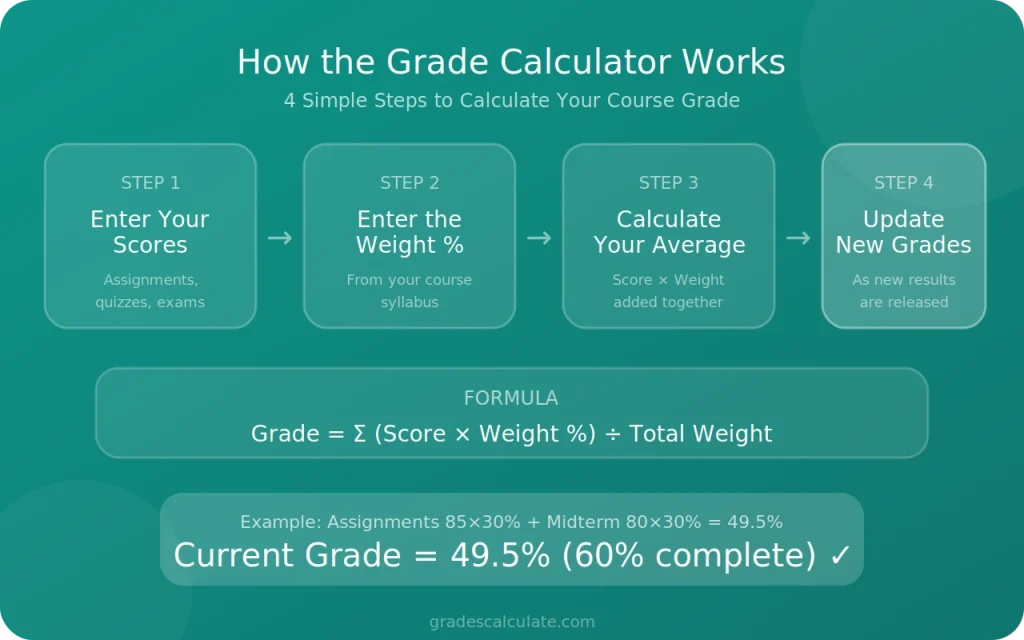
Using the calculator takes only a few steps.
1. Enter Your Scores
Add the marks you received for each completed assignment, quiz, project, or exam.
2. Enter the Weight
Next, enter the percentage that each assessment contributes to your final grade. You can usually find this information in your course syllabus or grading policy.
3. Calculate Your Average
The calculator multiplies each score by its assigned weight and adds the results together to estimate your current course grade.
4. Update as You Receive New Grades
As more assignments and exams are graded, simply update your scores to keep your average accurate throughout the course.
Example Grade Calculation
The example below shows how a weighted course grade is calculated.
Assessment | Score | Weight | Contribution |
|---|---|---|---|
Assignments | 85 | 30% | 25.5 |
Midterm Exam | 80 | 30% | 24 |
Final Exam | Not completed | 40% | — |
Current Grade: 49.5%
In this example, 60% of the course has already been completed. The remaining 40% depends on the final exam, so the overall grade may change once that score is added.
This example shows why understanding assessment weights is important. A high score on an exam worth 40% will usually have a greater impact than a high score on a small homework assignment.
What You Can Calculate
This tool can be used in different grading situations, whether you're checking your current performance or planning for upcoming assessments.
Current Course Grade
Calculate your average using the scores you've already received. This helps you understand where you stand before the course is complete.
Assignment Average
Find the average score across multiple assignments, quizzes, or homework to see how you're performing over time.
Weighted Grades
Estimate grades for courses where each assessment contributes a different percentage to the final result.
Future Grade Scenarios
Want to know what score you need on your next exam? Update the remaining assessment with different values to see how each possible result changes your overall grade.
Common Grading Systems
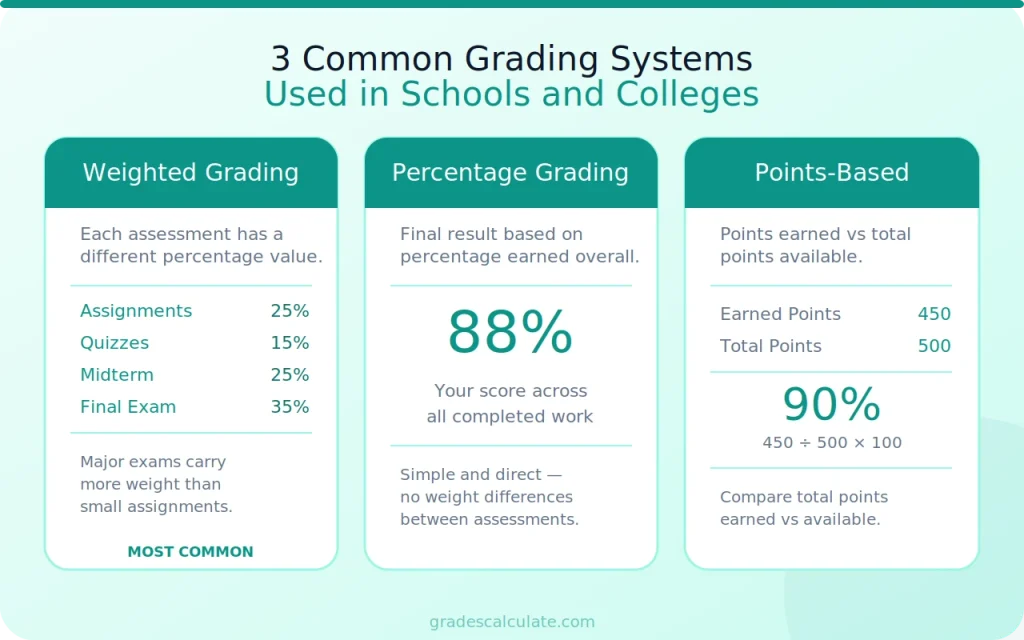
Schools and colleges may use different grading methods. Knowing which system your course follows will help you enter the correct information into the calculator.
Weighted Grading
In a weighted grading system, each assessment contributes a specific percentage to the final grade. Larger assessments, such as midterms or final exams, usually have more influence than quizzes or homework.
Example:
- Assignments – 25%
- Quizzes – 15%
- Midterm Exam – 25%
- Final Exam – 35%
Because each component has a different weight, improving your score on a major assessment can have a bigger impact on your overall grade.
Percentage Grading
Some courses calculate grades using percentages only. Your final result is based on the percentage earned across all completed work.
Points-Based Grading
Instead of percentages, some instructors assign points to each assessment. Your grade is calculated by comparing the total points earned with the total points available.
Always follow the grading method provided by your instructor or institution to ensure accurate results.
Tips for Accurate Calculations
A reliable result starts with accurate information. Before calculating your grade, take a moment to review the details you plan to enter.
- Enter the exact score for every completed assessment.
- Use the correct percentage weight for each assignment or exam.
- Make sure all weights match your course grading policy.
- Check your entries for typing mistakes before calculating.
- Update your grades whenever new results are released.
If your course includes bonus marks or extra credit, only include them if they are part of your instructor's grading method.
Common Grade Calculation Mistakes
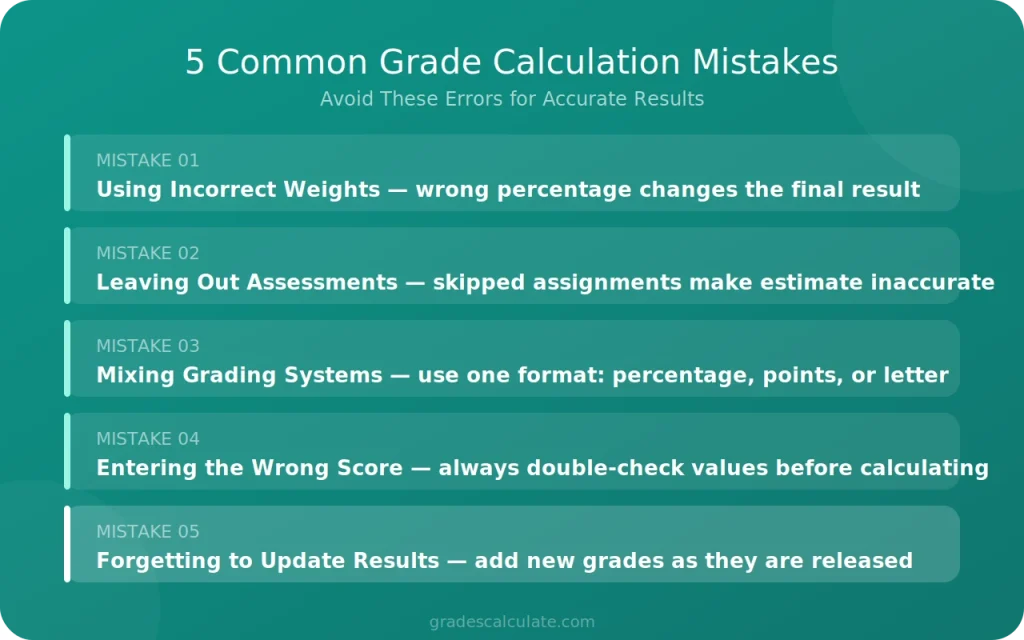
Even small errors can produce an incorrect estimate. Avoid these common mistakes when calculating your grade.
Using Incorrect Weights
Every assessment may have a different value. Entering the wrong percentage can significantly affect the final result.
Leaving Out Completed Assessments
Skipping an assignment or quiz means the calculation is based on incomplete information, making the estimate less accurate.
Mixing Different Grading Systems
Some courses use percentages, while others use points or letter grades. Enter your information using the grading system required for your course.
Entering the Wrong Score
A simple typing mistake can change your calculated average. Double-check every value before viewing your result.
Forgetting to Update New Results
As your course progresses, add newly graded assignments and exams to keep your estimate current.
This tool is designed to help you estimate your grade, but the final course result is always determined by your instructor's official grading policy.
Ways to Improve Your Grade
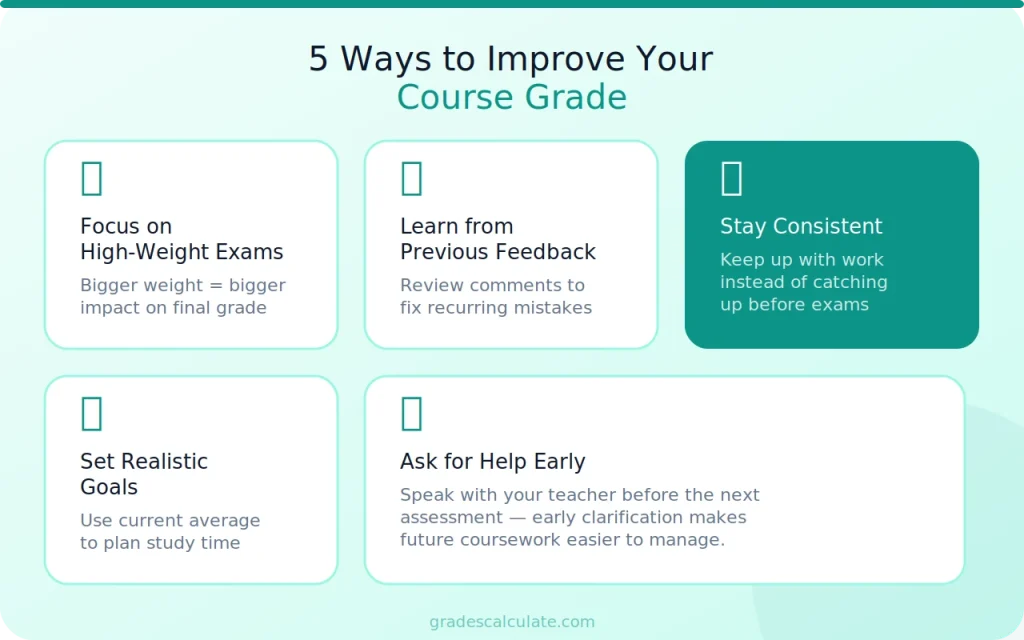
Your current average doesn't have to be your final result. If there are still assignments or exams left in the course, you may have opportunities to improve your overall grade.
Focus on High-Weight Assessments
Not every assignment has the same impact. Spend more time preparing for assessments that carry a larger percentage of the final grade.
Learn from Previous Feedback
Review comments on past assignments and exams to identify areas that need improvement. Correcting recurring mistakes can help you earn higher marks in future assessments.
Stay Consistent
Keeping up with coursework is often more effective than trying to catch up before an exam. Completing assignments on time also helps you avoid losing easy marks.
Set Realistic Goals
Use your current average to decide what score you need on upcoming assessments. Having a clear target can help you plan your study time more effectively.
Ask for Help Early
If you're struggling with a topic, speak with your teacher or instructor before the next assessment. Getting clarification early can make future coursework easier.
When to Check Your Grade
You don't need to wait until the end of the semester to calculate your progress. Checking your grade at different points during the course helps you stay informed and make better decisions.
It's a good idea to use the calculator:
- After receiving assignment or quiz results.
- Before a midterm or final exam.
- After completing a major project.
- Whenever new grades are posted.
- Before the grading period ends to estimate your overall result.
Updating your grades regularly gives you a clearer picture of your progress throughout the course.
Weighted vs. Unweighted Grades
Understanding your course grading method is important because it affects how your final grade is calculated.
Weighted Grades
In a weighted grading system, each assessment contributes a different percentage to the final grade. Major assessments, such as final exams or projects, usually have a greater impact than quizzes or homework.
Example:
- Homework: 15%
- Quizzes: 20%
- Midterm Exam: 25%
- Final Exam: 40%
Because the final exam carries the highest weight, performing well on it can significantly improve your overall grade.
Unweighted Grades
In an unweighted grading system, every assessment contributes equally to the final average.
For example, if a course includes four assignments, each one counts for 25% of the final grade, regardless of the type of assessment.
Before calculating your grade, check your course outline to confirm which grading method is being used.
Percentage Grades vs. Letter Grades
Schools use different ways to report academic performance. Some use percentages, while others assign letter grades.
A percentage grade shows your exact score, while a letter grade places that score within a grading range.
Percentage | Letter Grade |
|---|---|
90–100% | A |
80–89% | B |
70–79% | C |
60–69% | D |
Below 60% | F |
These ranges are only a general example. Your school or instructor may use a different grading scale, so always refer to the official grading policy for your course.
By understanding how grades are calculated and reviewing your progress regularly, you can make informed decisions throughout the semester. Even small improvements on upcoming assessments can have a positive effect on your overall result, especially in courses that use weighted grading.
Conclusion
Keeping track of your grades throughout a course can help you understand your progress and prepare for upcoming assessments. By entering your scores and assessment weights, you can quickly estimate your current average and see how future results may influence your final grade.
Whether you're reviewing recent assignment scores or planning for a final exam, this calculator provides a simple way to stay informed and make better academic decisions.